

Update: You can now use GTBank Mastercard, Access bank Visa Card and UBA Africard to pay for Facebook ads.
Currently, Facebook.com boasts somewhere in excess of 500 million users and still growing. Out of this, you can advertise your product or services to over 3 Million Nigerians, according to the estimated reach Face book calculated for me as at the day of publishing this. There’s a pretty good bet that some of your ideal target customers are among these millions of Nigerians, but the challenge is how to find them. With Facebook’s advertising platform, you can find these target customers.
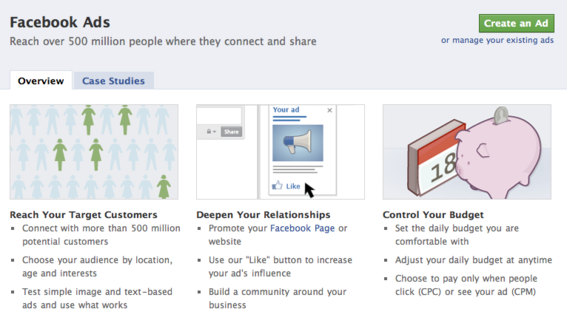
The Facebook Ads platform allows you to place small ads on the right sidebar of Facebook profiles and Facebook Pages. Any Facebook user that sees your ad on the sidebar of his/her profile will surely click on it if interested in your product or services been advertised in the ad. This way, you can easily get targeted customers. An example of a Facebook ad is the one in the picture below:

Facebook Ads allow advertisers to advertise either a destination within Facebook such as a Page, Event, Application or Group, or a separate website/web page for a cost which you will have to set by yourself. This means, you decide on how much you want to pay for your advertisement. Advertisers can either pay per click, meaning that you only incur a cost each time someone clicks through your ad or you can pay per thousand views. The pay per views options incurs a cost regardless of whether any clicks are received on the ad.
Advertising on Facebook is simple and cost-effective. You tell Facebook what you want to advertise and to whom you would like your ads to appear. Facebook advertising works a bit like AdWords in that you bid for keywords and compete to get your ads shown. If you want to run an advert with “Paypal” as a keyword and you decide to pay $1.2 per click, the ad of Mr B who is paying $1.5 per click also for an ad with “Paypal” keyword, will be shown to Facebook users ahead of yours simply because he is paying more than you. Hence, you have to be aware of the fact that you bid for keywords and compete to get your ads shown.
When setting up your advertising campaign, you will be given suggestions for bidding. It is best to disregard these suggestions as you can easily create an effective ad campaign at a much lower cost. Facebook also allows you to set your own daily spending limits or set your lifetime limit for your campaign. This simply means you can tell Facebook that you only want to spend $5 per day for an ad or just want to spend a total of $10 for the campaign.
With Facebook Ads, you are billed automatically to the credit card provided for payment. As a Nigerian, I recommend Zenith Prepaid Visa Card because I have successfully used it. GTBank Naira Mastercard was declined when I tried using it, though hoping it would be accepted in the future. You can manage and monitor receipts directly within your Ads Manager as well as through email notifications. As soon as you are charged, you will receive a notification sent to the primary email address associated with your account. This way, you will be able to easily save these emails and keep track of how much you are spending. Zenith Bank do send me sms alerts too once Facebook deducts money from my Nigerian Credit card.
When you run your ad you will only be charged for the number of clicks you receive (CPC) or the number of impressions of your ad that are displayed (CPM). The amount that you are charged will never exceed your daily budget.
To start your campaign you must determine a bid per click and daily budget. You can set both of these numbers very low, but don’t expect much. Initially you are just testing so you’ll want to set your click bid somewhere around the Facebook suggested amount and a daily budget you can live with.. You can always adjust these. Facebook provides decent real-time reporting so you can adjust your ads as needed.
Creating a Facebook Ad Campaign
- Identify your goals;
- Define who you want to reach with your ad;
- Create your ad and set your budget.
- Design the ad;
- Determine the target audience;
- Select a name for the campaign;
- Set pricing;
- Submit the ad for review by Facebook.
If you already have a Facebook profile and/or fan page you can start running ads today from the Facebook Ads page. Learn about the Facebook Ads Manager here and you can read the Official Facebook Ads here to learn more on how to advertise on Facebook.





Leave a Reply