
Tag: blogger tips
-
Adsense Now Allows Placement of 320×250 Ad Banner Above The Fold On Mobile Pages
After publishing how I modify my Google Adsense responsive ad code to display 320×250 ad banner above fold (visible part of the screen without scrolling down the page) on mobile webpages, I’ve received some emails from some bloggers, asking me if such modification no longer violates Adsense policy. Well, it no longer does. Google no…
Written by

-
How I Make Adsense Responsive Ad Code To Display 300×250 Banner On Mobile
If you discover that your Adsense responsive ad code doesn’t display the size of ad banner you would like it to display, you can modify your ad code to meet the requirements of your responsive site. So, instead of your responsive ad code to be displaying 300×100 banner above the fold, you can force it…
Written by

-
Whatsapp Share Button For Blogger Blogs
Whatsapp is one of the popular messaging platforms today. People are using it to chat and share content which can be articles, images or videos. With rise in it’s popularity, Bloggers are now using Whatsapp to drive traffic to their blogs by adding Whatsapp share buttons to their blogs. By adding Whatsapp share buttons to…
Written by

-
Blogger Recent Posts Widget That Lists Posts Titles Without Thumbnails
The Recent Posts widget for Blogger lets you display the most recent blog posts on the sidebar of your Blogger/Blogspot blog, making it easy for your readers to see what’s new on your blog. There are different Blogger recent posts widgets out there. Some will display posts title and thumbnails; some will display number of…
Written by

-
Delete Blog On Blogger In Easy Steps
In this Blogger tutorial, I want to quickly show you how to delete a blog on Blogger. You might want to do so when you are no longer interested in a blog you have created especially test blogs that were created to test some blogger themes and widgets. There are two ways to delete a…
Written by

-
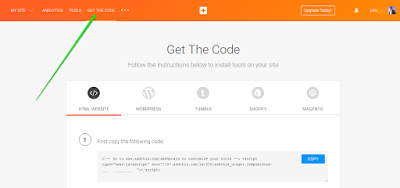
How To Add Vertical Related Posts Widget To Blogger Blog Sidebar
You can display related posts on your blog’s sidebar by making use of the AddThis related posts tool. The tool simply figures out what a visitor should be reading next based on what they’re currently reading. Unlike some blogger related posts widget, the tool recommends content not only by what’s similar, but also what’s most…
Written by
-
Floating Facebook Like Button For Blogger Blogs
In this tutorial, I want to share with you, how to add floating Facebook like button to your Blogger blog, thereby making it easy for your blog visitors to “like” your post while scrolling through your blog. This no doubt, is one of the ways you can increase traffic to your blog. A single click…
Written by

-
How To Add Facebook JavaScript SDK To Blogger Themes Without XML Error
The Facebook JavaScript SDK is a rich set of client-side functionality for adding Social Plugins, Facebook Login and Graph API calls to desktop or mobile web. If you are a blogger, it will also enable you to use the Facebook like button and other Facebook social plugins on your blog. Below is the default Facebook…
Written by

-
Check Out Demo Of New Responsive Emporio Blogger Theme In Blue
The Emporio theme is one of the new Blogger themes designed to look great and automatically adjust to any screen. I simply like the way it display blog posts in grids on the homepage and archive pages. Well, I’ve customized it a bit with a touch of blue color and you can check it out…
Written by

-
Blogger.com Adds New Themes For Users To Choose From
The popular free blogging platform, Blogger.com has announced the addition of four blog themes to the default blogger templates that Blogger users can choose from. Each theme comes in a variety of colors, is fully customizable and can be added to your blogger/blogspot blog with just a few clicks. The new Blogger themes aren’t just…
Written by
