
Tag: blogger tips
-
How I Schedule Posts in Blogger Blog
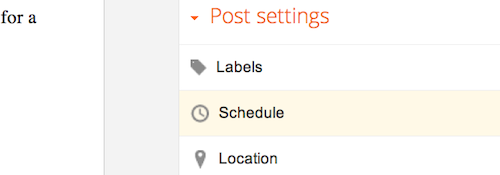
Posts Scheduling helps me alot in keeping my blog updated with fresh content while busy at work and doing other things offline. If I won’t be on the computer to make a post on a certain date or going for holiday at a place where I might not be able to access the internet, scheduled…
Written by
-
How To Add Privacy Policy to Blogger’s Attribution
In this tutorial, I am sharing with you how I added a link to my blog’s privacy policy page beside the Blogger’s attribution in the footer of my blog. You have to include an appropriate privacy policy in your site/blog because it is part of the terms & conditions of Google Adsense. Failure to do…
Written by

-
How To Add Description To Individual Posts of Blogger Blogs
Adding Search description for individual blog posts on Blogger/Blogspot blogs is now possible. It is one of the new features recently introduced into Blogger blogs, which also include the ability to add a custom 404 page to your blog. The description attribute within the tag is a good way to provide a concise, human-readable summary…
Written by

-
How To Create Custom 404 Page for Blogspot Blog
The ability to add a custom “Page Not Found” (eg. a “404”) message to your blog, is one of the new features recently introduced into Blogger blogs. A Customized 404 page allows you to easily guide your blog readers on how to navigate or link back to your blog should in case the blog reader…
Written by

-
Dudamobile mobile version of Ogbongeblog Vs Mobstac Mobile Version
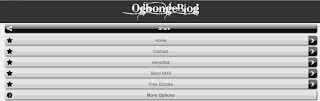
I decided to use dudamobile.com to create a mobile version of ogbongeblog.com and compare it with the mobile version powered by mobstac. Considering what I have observed so far, I still prefer Mobstac to Dudamobile. Ogbongeblog mobile blog powered by dudamobile ==> http://mobile.dudamobile.com/site/ogbongeblog Ogbongeblog mobile blog powered by mobstac ==> http://ogbongeblog.mobstac.com/ Observations 1. The Dudamobile…
Written by
-
Video Tutorial on How To Make Header Banner using Pixlr Online Editor
In one of my previous posts, I shared with you, a review of Pixlr.com Editor; an online tool which allows you to easily create banners and edit images online. While on Youtube, I stumbled on a video tutorial which explains how to make header banner for your blog or website using Pixlr Editor and I…
Written by
-
How to Get List of Blogs You Are Following
If you have been following some blogs via the Google FriendConnect “Followers” gadget, you can easily get the list of blogs you have followed so far. This will be so helpful to you in managing blogs you are following. Though Google has discontinued the Google FriendConnect , nevertheless I still read updates of blogs am…
Written by

-
How To Share Blog Posts from Blogger dashboard to Google Plus
One of the new features of Blogger.com is the ability to share a post with your Google+ friends, though for you to be able to do this, you must have linked your blog with your Google plus account. If you have linked your blog to your Google plus account, you will see a Google plus…
Written by

-
How To Determine Width of Image that will fit into Blog Header and Sidebar
For you to create a good looking blog, you must understand your template very well. Adding an image or ad banner whose width is more than that of the sidebar, will make the image fall off your sidebar and even make your blog look scattered. Hence, today, I have decided to share with you, how…
Written by

-
How To Add Logo to Blogger Blog
If you have designed your logo and want to use it for your Blogger blog, you can easily get it done by using the Blogger’s Page Header gadget. The “Page Header” gadget is the gadget that is responsible with the display of your blog’s title and description. The gadget also makes it possible for you…
Written by
