
Tag: blogger tips
-
How To Create a Blog on Blogger For Testing Templates and Codes
I recommend you create a blog on Blogger for testing templates and codes before making changes to your live blogspot blog. By doing this, you won’t mess up with your blog by uploading a corrupt template. I always use test blogs when testing templates, scripts and other hacks before implementing the changes on my blog.…
Written by

-
You Can Now Purchase Domain Name Right From Blogger Settings
Last year, I announced the launch of Google Domains; a new domain registration service which will enable businesses to search, find, purchase and transfer the best domain for their business – whether it’s .com, .biz, .org, or any of the wide range of new domains that are being released to the Web. Fast forward 2015,…
Written by

-
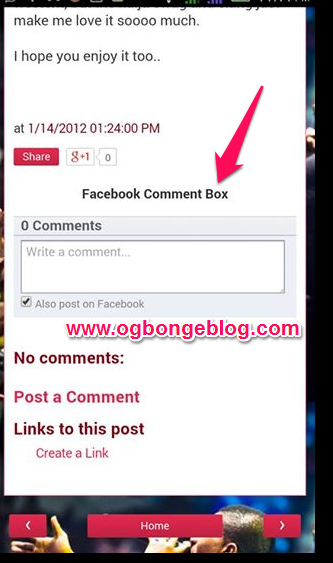
How To Add Facebook Mobile Comment Form To Blogger / Blogspot Mobile View
If you’ve enabled custom Blogger mobile template, you can customize the mobile view of your blog as you desire. You can add and remove whatever you like in as much as you know how to go about it. Today, I have decided to share with you, how to add Facebook mobile comment form to Blogger…
Written by
-
Custom Permalink Feature in Blogger. How Do I Use it?
When you write a blog post, Blogger automatically generates a permalink (a URL that links to a blog post) from the title of the post. if you prefer to customize the link, you can do so with the custom permalink feature in Blogger. It was one of the suite of SEO features integrated into Blogger…
Written by

-
Blogger Comment Form Not Showing On Mobile View? Try This Solution
I’ve been receiving mails lately from co-bloggers, complaining that their readers are finding it difficult to comment on their blog posts simply because the Blogger comment form won’t display on mobile even after clicking the “post a comment” link. This is mostly experienced on blogs that have switched to Blogger custom mobile template. Although, I…
Written by

-
How To Upload A New Template To Blogger
Although Blogger allows users to easily make changes to the design of their blogs by making use of the Template Designer, there might be occasions you may prefer to download and install a Blogger template sent to you by someone or the one downloaded from sites that offer custom Blogger templates eg btemplates.com. Just as…
Written by

-
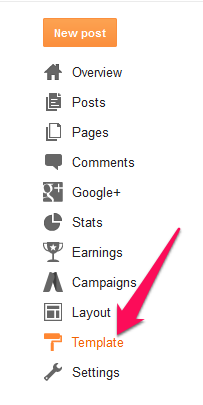
BackUp Blogger Template and Restore It In Easy Steps
Saving a backup of your Blogger template to your PC before making changes to it, is highly recommended. This is simply because if you are not satisfied with changes you apply to your template and feel like reverting it back to its previous condition, all you need to do is to restore the back up.…
Written by
-
Anonymous Comments On Blogspot Blogs Requires You To Enter Confirmation Text? Here Is How To Avoid It
Since yesterday, I’ve been receiving emails about how anonymous commenters are now finding it hard to drop comments on Blogspot blogs, hence making some bloggers to lose comments on their blog posts. Below are some : Jide oooooo! Goodmorning…:(, peeps are complaining that it’s hard to comment on the blog cos it’s showing them a…
Written by

-
How To Add Read More To Feedburner Blog Posts Feed
Feeds are a way for blogs to distribute their content well beyond just visitors using browsers. Feeds permit subscription to regular updates, delivered automatically via a web portal, news reader, or in some cases good old email. If you have a website, blog, audio/video content, or even photos, you can offer a feed of your…
Written by

-
How I Make Adsense Appear In Middle Of Blogger Posts (New and Old) Without Using Post Template Feature
In my previous post, I explained how to easily place Adsense ads in middle of Blogger posts using the Blogger “Post Template” feature. Although the trick is very easy to implement and automatically displays ad in desktop and mobile view, the trick doesn’t display the ads in old posts. If you want the ad to…
Written by
