
Author: jidetheblogger
-
How To Reset Expired Password of Outlook Web App (OWA)
Outlook Web App (OWA), originally called Outlook Web Access is a webmail service, provided by Microsoft Exchange Server (versions 5.0 and later). It lets me access my office mailbox anywhere from any computer connected to the Internet, without having to configure Outlook or another email client. If you are using OWA to read your mails,…
Written by

-
How To Recover and Reset Blogger Password and Email
If you’re having troubles accessing your blog via the Blogger sign in page just because you’ve forgotten your Blogger password or because you’ve forgotten the email account you used for registration, Blogger offers an account recovery tool which you can use to resolve the issue on your own. You can access the Blogger’s account recovery…
Written by

-
Attend Onome Maureen Bootcamp To Say NO To Joblessness With A N450,000 Profit Business Plan
I’m sure you’ve already heard of the recent Abuja, PH, Lagos stampede which was supposed to be a job test for 3,000 positions at the Nigerian Immigration Service! What would take 80,000 youths to a stadium to apply for just 3,000 jobs? With several injured and more than 7 people even died? ==> Hunger! NO…
Written by

-
How To Fix Broken Blogger Feeds
After Blogger restored my blog few days back, I noticed that the links of the Related Posts, Recent Posts widgets were all broken. Clicking on them leads to a 404 page. Twitterfeed and other applications using the Blog’s feed were all affected. While trying to find out what’s wrong, I discovered that the blogspot feed…
Written by

-
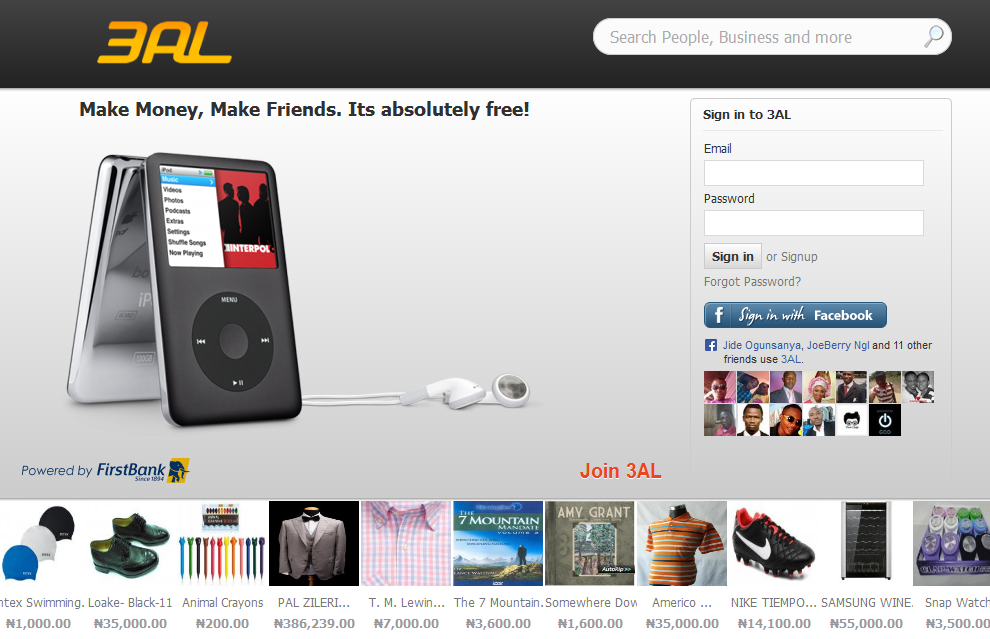
3AL.com: First Bank Portal For Individuals and SMEs To Sell Online
If you need to create an online visibility for your business at no extra cost, then you need to try the First Bank Nigeria 3AL portal; a self-service tool which enables businesses to set up their online store, upload their products and interact with potential consumers from all locations in Nigeria and globally. 3AL.com is…
Written by
-
Blog Restored 4 days After It Was Disabled by Blogger
Yeah! OgbongeBlog is back 🙂 Wondering…”from where” ? Well, Blogger Spam Automated Classification System disabled it on Saturday afternoon. Exactly same thing happened in October last year but this time around, it was restored 4 days after it was disabled unlike then which took almost a month to get the blog back online. So fast?…
Written by

-
Loans Without Collateral For SMEs Now Available At First Bank Nigeria
According to a post on Punch Nigeria website, First Bank of Nigeria has introduced non-collateral loans for Small and Medium Enterprises in an effort to drive the growth of the SME sub-sector. The Head, SME Banking, Mr. Oluwafemi Akinfolarin, who spoke at the bank’s product fair event in Lagos recently, said the development would help…
Written by

-
Generate APK Files Online Without Chrome APK Downloader Plugin
While browsing through the pages of my favourite blogs this morning, I stumbled on an online APK downloader and I decided to share it with you. It is simply a web app that lets you pull an APK directly from Google’s servers and side load it yourself. It lets you download apk files from Google…
Written by

-
Floating Sharing Bar for Blogger Blogs
You might have seen some blogs with a vertical floating share bar widget where Facebook like, Tweet, Google+ buttons are present on the left or right side of the blogs. Adding this floating sharing bar to your blog will make it easy for your blog visitors to Like, reTweet, +1 and share your posts, which…
Written by

-
2 GMail Apps that Would Make Your Life Better and Improve Your Productivity
e-Mails are good but most times, they are time consuming to manage. If you use GMail, you will find in this post, 2 GMail apps that you can use to make your life better and also improve your productivity. There are many GMail apps you can use, but these two has been so useful for…
Written by