
Category: how to
-
How To Make Your eBook Appear On Your Free-ebooks.net Profile
Few months back, I stumbled on my Free Blogger Guide on free-ebooks.net while downloading some free ebooks from the site. I clicked on the Author link only to discover that it was not pointing to my free-ebooks.net profile. That same day, I submitted a ticket, requesting for the ebook to be moved to my profile.…
Written by

-
How To Place Ad Banner Under Header of Blogger Mobile View
In this tutorial, I will explain how to place 300×250 ad banner under header of Blogger mobile view. The banner can be Google adsense ad, an affiliate program banner or a personal advert banner to promote your products and services. So, I expect you have saved the code for the banner somewhere. You can increase…
Written by

-
Postal or Zip Codes of Lagos and Other States In Nigeria
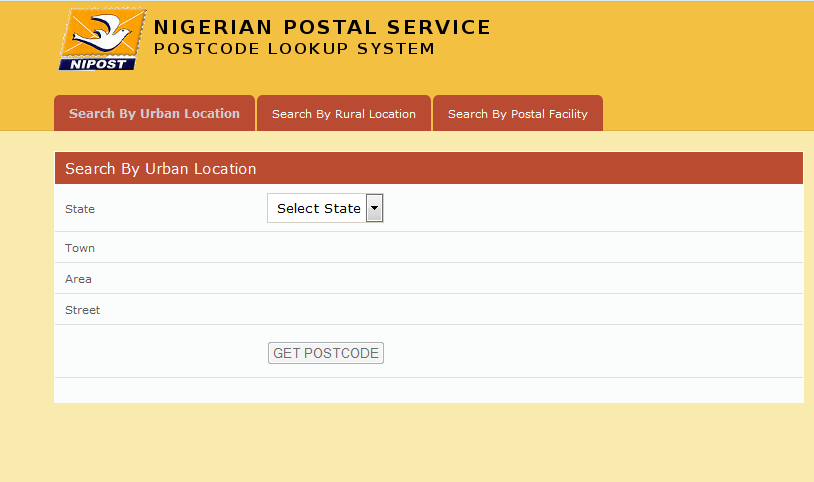
While a friend was trying to fill the Google Adsense application form yesterday, it was required that she enters the Postal code. She followed the link suggested by Google but the link didn’t open. She called me and I explained to her, how to get the Lagos post code online. So, in this post, I’ve…
Written by
-
How To Change Twitter Username Without Losing Followers and Tweets
If you’ve realized that you need a different Twitter handle, probably a shorter one or a more professional one, you can easily change the Twitter username without losing followers and your tweets. Changing your username will not affect your existing followers, direct messages, or @replies. Your followers will simply see a new username next to…
Written by

-
QuickTeller DsTV Payment Guide : 2015 Update
I’ve decided to publish this Quickteller DsTV payment guide to explain how to make dstv subscription payment online at quickteller.com. The look of the site has changed since I published similar guide in 2012, hence the need for this update. Just follow me through the steps below: ==> Go to : https://www.quickteller.com/DSTV ==> Select the…
Written by

-
Take a Screenshot of a Whole Web Page Online At Web-Capture
Web-capture.net is the website I use to take a screenshot of a whole web whenever I need such screenshot in showcasing websites and blogs I design for my clients. So, if you are looking for how to take screenshot of entire web page on firefox, safari, chrome etc without using any addon, you need to…
Written by

-
How To Detect Hidden Camera With Mobile Phone and Camera Detectors
As technology advances, privacy is getting vanished. So, it’s no more news that hidden cameras are now been planted in some locations. If you frequently make use of hotel rooms, trial rooms, changing rooms etc, then the chance of getting spotted by a hidden camera is very high. In this blog post, I’ve decided to…
Written by

-
How To Use Skitch
Earlier, I published a post on what Skitch app is, the features and the Skitch download link. In this post, I’ve decided to share with you, how to use Skitch tools on Windows PC. Once you understand how to use it, you will be able to put it into use in different ways. You can…
Written by

-
Change Image Size Online Without Software
Imageresize.org is a picture resizing website I use alot and I’ve decided to share it with you today. The site simply lets anyone crop, resize image online for FREE i.e you can crop a photo and decrease or increase image size online. Whenever an advertiser sends me an advert banner that is bigger than the…
Written by

-
How To Save Instagram Photos To Your Computer
Saving Instagram photos directly to your computer is possible if you’re connected to the internet. You can easily save your instagram photos as well as save someone else’s photo on instagram to your PC. You don’t have to stress yourself transferring Instagram photos from your phone to PC. This can be so useful to you…
Written by
