
Want to open a MoMo Wallet account, check your account balance, buy airtime or purchase MTN data without using the internet? You can do all these and more with the MoMo Wallet USSD code.
MoMo Wallet, a mobile financial service powered by MTN’s MoMo Payment Service Bank (MoMo PSB), allows users to perform various financial transactions directly from their mobile phones.
The good news is that you don’t necessarily need a smartphone or an internet connection to access your MoMo Wallet. With the MoMo USSD code, you can register for an account, check your balance, buy airtime and data, and access other available services.
In this guide, I’ll show you the MoMo Wallet USSD code and how to use it for different transactions on your MTN line.
What Is the MoMo Wallet USSD Code?
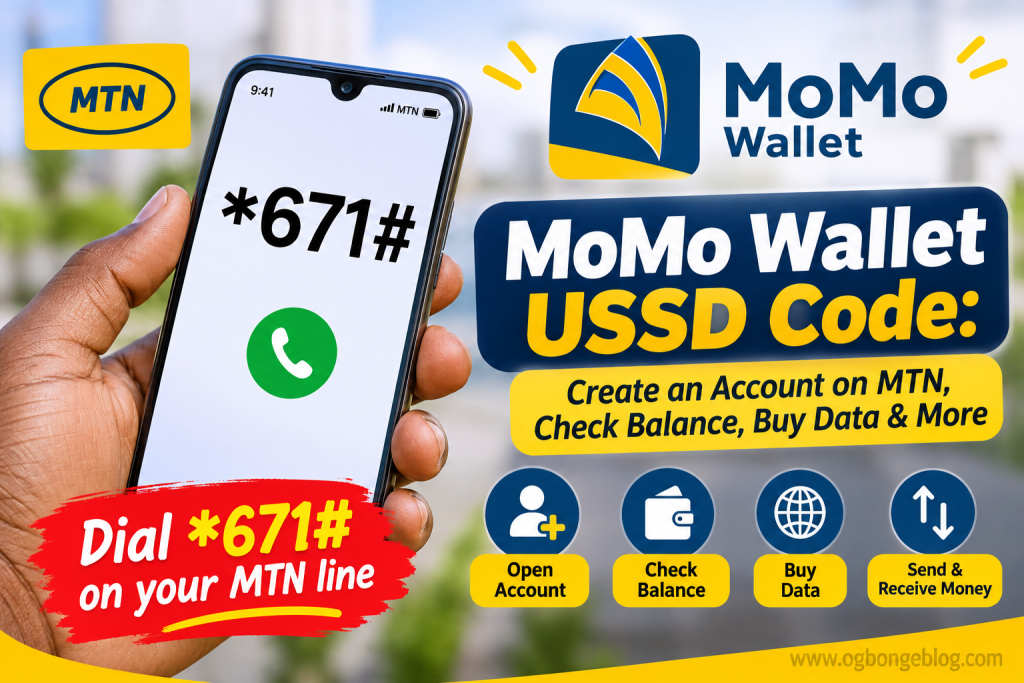
The MoMo Wallet USSD code is *671#.
You can dial this code directly from your MTN phone number to access the MoMo Wallet menu and perform supported transactions.
If you are a new user, you can also use the code to register and create a MoMo Wallet account.
Alternatively, you can download MoMo PSB mobile app to open and manage your account.
How to Open a MoMo Account on MTN Using USSD Code
You don’t need to visit a physical office to open a MoMo Wallet account. You can register directly from your MTN line by following these steps:
- Dial *671# on your MTN phone number.
- You will be prompted to create a 4-digit PIN.
- Enter the 4-digit PIN you want to use for your MoMo transactions.
- Confirm your PIN when prompted.
- Once your PIN is confirmed, your MoMo Wallet account will be created.
- Your newly generated MoMo account number will be displayed on your phone screen.
That’s it! You have successfully opened a MoMo Wallet account.
You can also use your registered MTN phone number for transactions.
After completing your registration, you can dial *671# anytime to access the MoMo menu and explore the available services.
Important: Keep your 4-digit PIN private. Never disclose it to anyone claiming to be a MoMo representative.
How to Get Your MoMo Account Number
If you’ve already registered for a MoMo Wallet account but don’t know your account number or need to retrieve it, you can easily display it using the MoMo USSD code.
Follow these steps:
- Dial *671# on your MTN line.
- Enter 7 to select Account Management.
- Enter 8 to select Fund Account.
- Your MoMo account number will be displayed on your phone screen, alongside instructions on how to transfer money into your MoMo Wallet.
You can then copy or save the displayed account number for future use.
This is also a convenient way to access your MoMo account details whenever you want to fund your wallet through a bank transfer.
You can also use your MTN phone number for transactions, so you may not always need to provide a separate account number.
How to Check MoMo Balance Using USSD Code
Want to know how much money you have in your MoMo Wallet?
Follow these simple steps to check your account balance:
- Dial *671# on your MTN line.
- Enter 3 to select the balance enquiry option.
- Follow any additional prompt displayed on your screen.
Your MoMo Wallet balance will be displayed or provided as instructed.
This makes it easy to check how much money is available in your account without opening the MoMo PSB app.
How to Buy MTN Data on MoMo With Code
You can also use the MoMo Wallet USSD code to purchase data bundles.
Whether you want to buy data for your MTN number or send data to someone else, follow these steps:
- Dial *671# on your MTN line.
- Enter 2 to select Airtime and Data.
- Enter 2 again to select Data.
- Choose 1 to buy data for yourself.
- Alternatively, choose 2 to buy data for another person.
- Follow the subsequent instructions to select your preferred data bundle and complete the transaction.
Make sure you have sufficient funds in your MoMo Wallet before attempting to purchase a data bundle.
How to Check Eligibility for NERSI Relief Fund Using MoMo USSD Code
If you want to check your eligibility for the NERSI Relief Fund, you can use the MoMo USSD service.
Simply follow these steps:
- Dial *671*0# on your MTN line.
- Follow the instructions displayed on your phone screen.
- Check the response to know your eligibility status or the next steps provided.
You don’t necessarily have to open the MoMo PSB app to access this USSD option.
Please note that eligibility and beneficiary status are subject to the official NERSI programme requirements and verification.
Other Things You Can Do With MoMo Wallet
Apart from opening an account, checking your balance and buying data, MoMo Wallet provides access to other financial services through its USSD menu and mobile app.
Depending on the services available to your account, you can use MoMo to:
- Send and receive money.
- Buy airtime and data.
- Check your account balance.
- Access other supported payment services.
- Manage your wallet through the MoMo PSB mobile app.
To explore the available services, simply dial *671# on your MTN number.
Frequently Asked Questions About MoMo Wallet USSD Code
What is the USSD code for MoMo Wallet?
The MoMo Wallet USSD code is *671#. Dial it on your MTN line to register for an account or access the MoMo Wallet menu.
How do I create MoMo account on MTN?
Dial *671# on your MTN line, create a 4-digit PIN and confirm it. Your MoMo Wallet account will be created, and your account number will be displayed on your screen.
Can I use my MTN phone number as my MoMo account number?
Yes. You can use your MTN phone number for MoMo transactions. Your separate MoMo account number is also displayed after successful registration.
Can I use MoMo Wallet without internet access?
Yes. You can access supported MoMo Wallet services using the USSD code *671#, without needing an internet connection or the MoMo PSB mobile app.
How do I fund my MoMo Wallet account?
There are two easy ways to fund your MoMo Wallet:
Bank transfer: Transfer money from your bank account to your MoMo Wallet account number.
Cash deposit: Visit a MoMo agent and deposit cash directly into your MoMo Wallet.
Once your wallet is funded, you can use the available balance to perform supported transactions, including buying airtime and data.
Conclusion
The MoMo Wallet USSD code makes it easier for MTN subscribers to access mobile financial services without necessarily downloading an app or connecting to the internet.
With *671#, you can create a MoMo account, retrieve your account details, check your balance, buy MTN data for yourself or others, and access other supported services.
If you are yet to register, simply dial *671# on your MTN line and follow the instructions to get started.


Leave a Reply