

WordPress is introducing Ipsum, a new default WordPress theme designed around a clean, minimal blogging experience. Following the WordPress Twenty Twenty-Five theme, Ipsum represents a new direction for WordPress default themes, moving away from year-based naming towards distinctive names that reflect each theme’s design.
If you are a blogger, website owner or WordPress developer looking for a simple, flexible theme, you can download Ipsum WordPress theme and explore what it offers.
The theme is currently available to download from GitHub, where you can explore its source code and test it on your WordPress website.
In this post, we will look at what the Ipsum theme offers, its features, how to download it and what you should know before installing it.
What Is the Ipsum WordPress Theme?
Ipsum is a minimal, block-based WordPress theme built around the blogging experience. It is designed to provide a clean starting point that website owners can customise to suit their content and personal preferences.
According to the official WordPress Core announcement, Ipsum is the proposed default theme for WordPress 7.2. Its development also signals a change in how WordPress names its default themes.
Instead of introducing a theme every year with a name such as Twenty Twenty-Six, future default themes can have their own names and be introduced when the design is ready.
The name Ipsum comes from lorem ipsum, the placeholder text commonly used in design and publishing before the final content is available.
The idea behind the theme is straightforward: provide a simple canvas that bloggers can make their own.
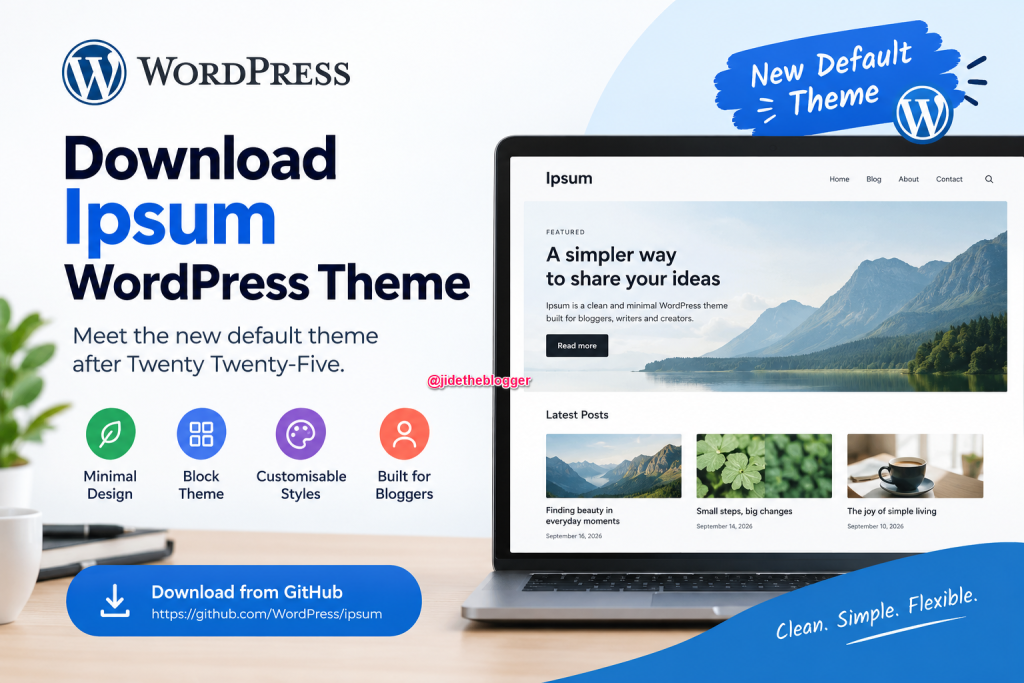
Key Features of the Ipsum WordPress Theme
Here are some of the notable features and design ideas behind Ipsum.
1. Minimal and Clean Design
Ipsum is designed to keep the focus on your content rather than unnecessary visual elements. Its minimal approach makes it a promising option for bloggers who prefer a clean reading and writing experience.
Instead of imposing a heavily styled layout on every website, the theme provides a foundation you can adapt to your needs.
2. Built Around the WordPress Block Editor
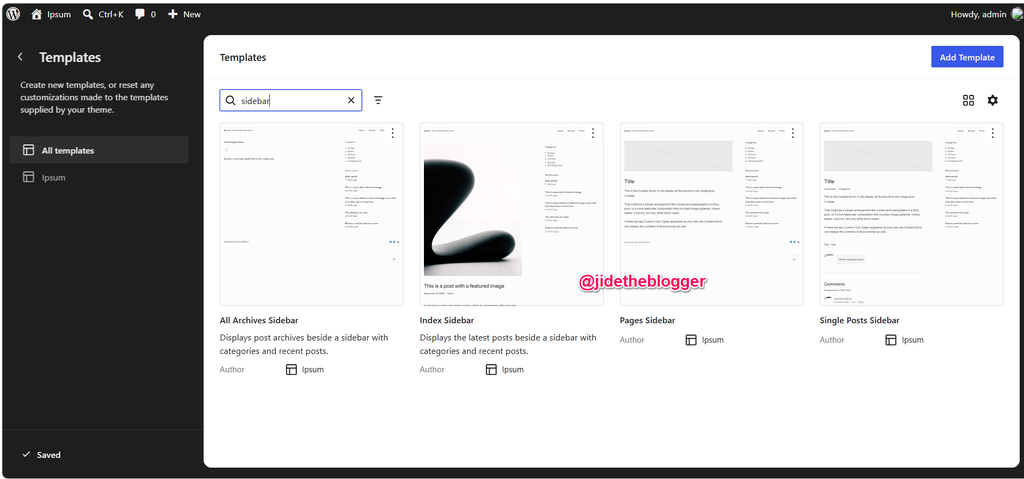
Ipsum is a block theme designed to work with the WordPress editing experience. You can use the block editor and Site Editor to customise supported parts of your website, including layouts, templates and styles.
This approach gives site owners more control over their website’s appearance without requiring them to edit theme files for every design change.
3. Customisable Styles
The theme includes style variations that let you change the overall appearance of your website. These variations can affect typography, colours and the presentation of images, helping you explore different looks without starting from scratch.
You can choose a starting style and then customise it to suit your blog’s identity.
4. A Blank Canvas for Bloggers
One of Ipsum’s main selling points is its blank-canvas approach. Headers, hero sections and sidebars can be used when needed, while the overall design remains intentionally simple.
This makes the theme suitable for people who want to build a personalised blog rather than work around a highly opinionated design.
5. Accessibility Considerations
The official announcement states that the theme’s design combinations meet WCAG AA accessibility requirements. This is an important consideration for website owners who want their content to be more accessible to different audiences.
However, your website’s overall accessibility will also depend on your content, plugins, customisations and how you use the theme.
Download Ipsum WordPress Theme
You can download the Ipsum WordPress theme from its official GitHub repository.
Official download page: https://github.com/WordPress/ipsum
The repository contains the theme files, templates, patterns, style variations and development resources.
How to Download and Install Ipsum Theme for WordPress
Follow these steps to try the theme on your WordPress website.
- Visit the official Ipsum GitHub repository.
- Click the green Code button.
- Select Download ZIP to download the repository as a ZIP file.
- Log in to your WordPress dashboard.
- Navigate to Appearance → Themes → Add New Theme → Upload Theme.
- Select the downloaded ZIP file and click Install Now.
- If the installation succeeds, preview the theme and activate it when you are ready.
Important: The GitHub repository is a development repository, so its downloaded ZIP may contain development files rather than a ready-to-install WordPress theme package. If WordPress rejects the ZIP, download or package the theme directory itself so that style.css, theme.json and the other theme files are at the root of the ZIP file.
Since Ipsum is still being developed for the proposed WordPress 7.2 release, test it on a staging website or a local WordPress installation before using it on a live blog.
How To test Ipsum WordPress Theme In WordPress Playground
Use a 7.2 Beta 1 WordPress Playground instance to test the software directly in your browser. No setup required-just click and go!
Is Ipsum the Official Default Theme in WordPress?
Ipsum has been announced by the WordPress Core team as the proposed default theme for WordPress 7.2. The official announcement invites the community to download, test and provide feedback on it.
However, the announcement describes Ipsum as a proposal planned for inclusion in WordPress 7.2. Its final inclusion and release status should therefore be distinguished from its current availability on GitHub.
You can follow the official WordPress Core announcement for development updates.
Should You Use the Ipsum WordPress Theme?
If you enjoy experimenting with block themes or want a simple foundation for a new blog, Ipsum is worth testing.
It may be particularly useful for:
- Bloggers who prefer clean, minimal layouts.
- WordPress users who want to customise their website with the Site Editor.
- Developers who want to explore the direction of upcoming default themes.
- Website owners who prefer a flexible starting point over a heavily designed theme.
If your existing website depends on specific theme features, custom templates or specialised layouts, test those elements before switching. Changing themes can affect how some parts of a website are displayed.
Final Thoughts
Ipsum signals a new direction for WordPress default themes after Twenty Twenty-Five. Rather than following the traditional year-based naming pattern, WordPress is moving towards distinct theme names and a simpler starting point for website owners.
Although its proposed inclusion in WordPress 7.2 is still subject to the development and release process, you can already explore the theme through its GitHub repository.


Leave a Reply